Preparing Your Team for the Next Generation of Virtual Meetings
9 August 2026
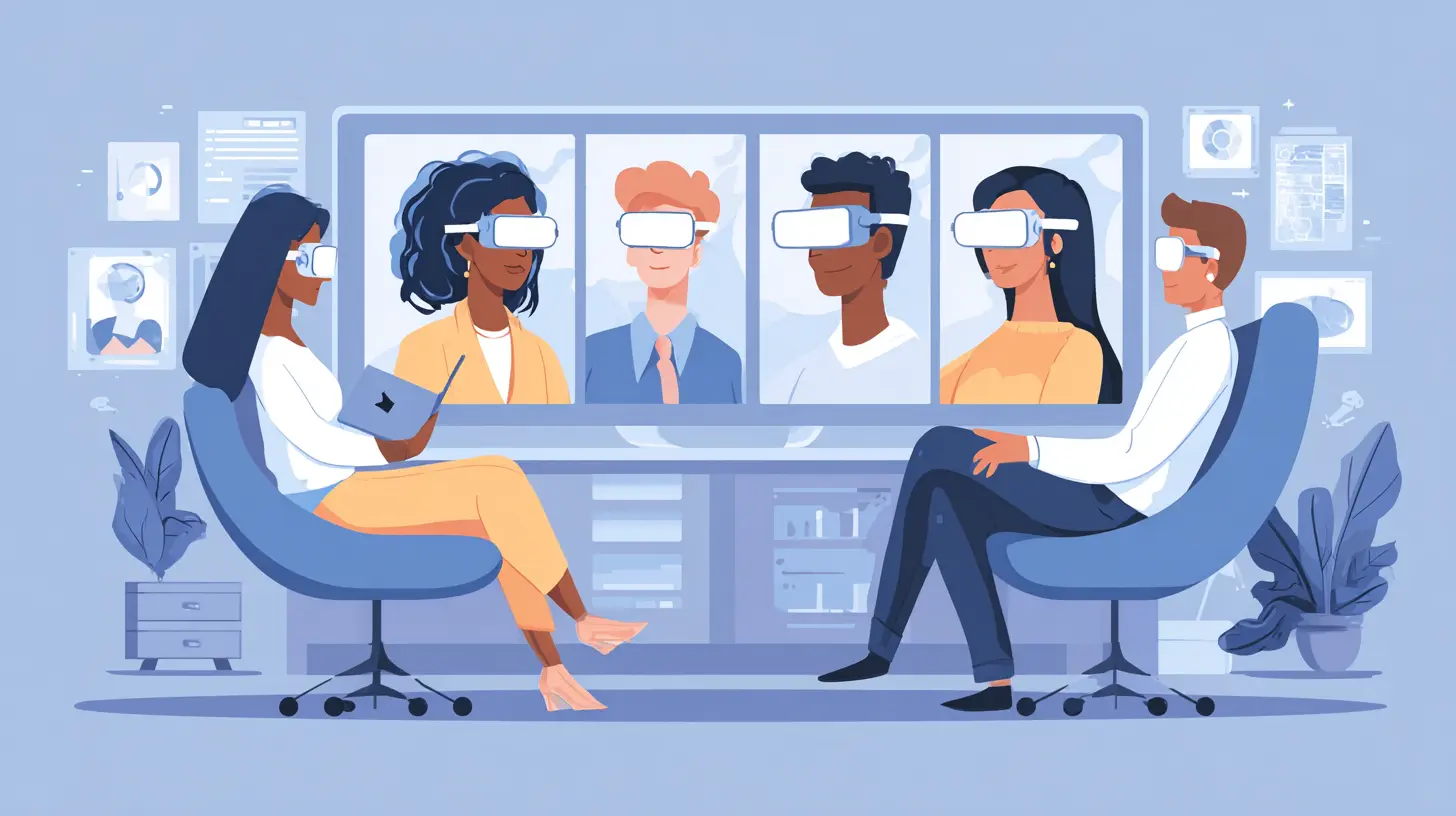
The virtual meeting has changed more in the last three years than in the previous thirty. What started as a stopgap for lockdowns has become the default way many teams collaborate, but the tools and habits we use are still stuck in the broadcast era. You know the setup: one person talks, everyone else mutes their mic, and half the participants are doing email on the side. That model is dying. The next generation of virtual meetings is not about better cameras or fancier backgrounds. It is about presence, spatial awareness, asynchronous collaboration, and AI-assisted workflows that make the whole experience feel less like a chore and more like actual work.
If you are a team lead, an IT manager, or an operations person tasked with making this transition happen, you have a lot on your plate. The good news is that you do not need to rip out your entire stack. You need to rethink how your team uses the tools they already have, plus a few new ones that are worth the investment. This article walks you through the practical steps, the common traps, and the mindset shifts that will actually move the needle.

Why the Old Rules No Longer Apply
Let us start with a hard truth: the classic video call was designed for a world that no longer exists. It was built for a presenter and an audience. That is why it feels so awkward when you try to brainstorm, whiteboard, or have a free-flowing discussion. The medium fights you at every turn. You cannot read the room. Side conversations are impossible. The person who speaks last usually wins, not the person with the best idea.The next generation of virtual meetings flips that script. Instead of forcing a meeting to be a single continuous session, it treats communication as a stream. Some parts are live. Some parts are recorded. Some parts are text. Some parts are interactive. The goal is not to simulate an in-person meeting. It is to create something better, something that leverages what digital tools do well: searchability, parallel work, instant access to data, and the ability to include people across time zones without punishing anyone.
That shift requires a change in how you plan, run, and follow up on meetings. It also requires new skills from your team. You cannot just tell people to be more engaging. You have to give them the structure and tools to make that happen.

Rethinking the Meeting Itself
Before you buy any new software, sit down and ask a basic question: does this meeting need to happen? That sounds obvious, but most teams have a calendar full of recurring meetings that exist only because they have always existed. The next generation of virtual meetings is asynchronous-first. That means you default to shared documents, recorded updates, and collaborative boards, and you only call people together when live interaction adds real value.Here is a simple filter. If the purpose of the meeting is to share information, record a five-minute video or write a memo. If the purpose is to make a decision, use a shared document with clear options and a deadline for comments. If the purpose is to build trust or resolve conflict, then and only then do you need live face-to-face time.
This is not about eliminating meetings. It is about making the ones you keep matter more. When you stop using meetings for status updates, you free up time for the things that actually require human connection: brainstorming, strategy, tough conversations, and team building. That is a hard sell to some managers who like the ritual of the daily standup. But once they see the results, they rarely go back.

Building a Meeting Culture That Works
Culture eats tools for breakfast. You can buy the most advanced spatial audio system on the market, and it will not help if your team still thinks that being on camera means sitting perfectly still and staring into the lens. The next generation of virtual meetings demands a different set of behaviors.First, embrace the idea of the camera as a window, not a stage. People do not need to look at you all the time. They need to see that you are present. That means it is okay to look down at your notes, to think, to pause. It is okay to have a messy background. It is okay to stand up and pace. The old rule about looking at the camera instead of the screen is outdated. In a small group, looking at the screen is actually more natural because it lets you see the other people.
Second, teach your team how to be active listeners in a digital space. That means using reactions, typing in the chat, and physically nodding or leaning forward. It sounds silly, but these small signals replace the subtle cues you get in a physical room. Without them, the speaker feels like they are talking into a void. Encourage people to unmute themselves and say "yes" or "I agree" out loud. The noise is not a distraction. It is the sound of engagement.
Third, normalize the mute button, but do not worship it. In a large meeting, muting is essential. In a small working session, it creates a wall. Let people leave their mics on if they are in a quiet space. The ambient sounds of typing and breathing actually make the interaction feel more human.
Choosing the Right Tools for the Job
The tool landscape is crowded, and it is tempting to just pick the biggest name and go with it. But the next generation of virtual meetings is not about the platform. It is about how the platform fits into your workflow. Here is what to look for, regardless of the vendor.Spatial Audio and Video
Spatial audio is the biggest leap forward in virtual meetings since HD video. It simulates the way sound works in a physical room. If two people are talking, their voices come from different directions. You can tell who is speaking without looking at the screen. It reduces cognitive load and makes long sessions far less tiring. Some platforms have this built in. Others require additional hardware. If your team spends more than ten hours a week in meetings, this is worth the investment.The catch is that spatial audio only works if everyone uses it. If you have a mix of people on laptops, phones, and desktop setups, the experience is uneven. Plan for a phased rollout. Start with your core team, get them comfortable, then expand.
AI Note-Taking and Summaries
Gone are the days when someone had to volunteer to take notes. AI assistants can now capture the conversation, identify action items, and generate a summary that is sent to everyone automatically. This is not just a convenience. It is a game changer for asynchronous work. People who could not attend the meeting can read the summary and stay in the loop without watching the recording.But there is a hidden trap. If you rely on AI summaries, you lose the nuance of the conversation. The AI does not capture tone, hesitation, or the moment when someone changed their mind. For routine meetings, that is fine. For sensitive discussions, you still need human note-taking or at least a human review of the AI output. Set a policy: AI summaries are the default, but they are always reviewed by the meeting owner before being distributed.
Collaborative Whiteboards
The whiteboard is the one tool that truly bridges the gap between physical and digital. A good virtual whiteboard lets people draw, write, move sticky notes, and react in real time. It turns a passive meeting into an active workshop. The key is to use it for the right kind of work. Brainstorming, journey mapping, and retrospective sessions all benefit from a shared visual space.The mistake most teams make is treating the whiteboard as a presentation tool. They prepare everything in advance and then walk people through it. That defeats the purpose. The whiteboard should be messy. It should evolve during the meeting. Let people make mistakes and erase them. That is where the magic happens.
Asynchronous Video
Not every message needs to be a meeting. Asynchronous video tools let you record a short clip and share it with your team. They can watch it on their own time and respond with their own video, text, or comments. This is perfect for status updates, design reviews, or explaining a complex concept that is easier to show than to write.The advantage is obvious: no scheduling, no time zone battles, no meeting fatigue. The downside is that it can feel impersonal and can lead to endless back-and-forth if not handled well. The best practice is to use async video for one-way communication and reserve live sessions for actual dialogue. If you find yourself recording a response to a response, it is time to schedule a live call.
The Hybrid Meeting Problem
The hardest challenge in the next generation of virtual meetings is the hybrid format, where some people are in a physical room and others are remote. This is where most teams fail, and it is not because of the technology. It is because of the default behavior of treating the room as the center and the remote people as guests.If you have ever been the remote person in a hybrid meeting, you know the pain. You cannot hear the side conversations. People in the room forget to look at the camera. The whiteboard is visible only to those in the room. It is exhausting and isolating.
The fix is radical but simple: make the remote experience the primary experience. That means everyone uses their own device, even if they are in the same room. No more huddling around one laptop. Each person wears a headset and joins the meeting as an individual. The room becomes just another location, not the center of the universe.
This feels weird at first. People in the same office will wonder why they cannot just talk to each other. The answer is that the meeting is not for them. It is for the whole team, including the people who are not there. When you all join individually, the remote participants get equal footing. They can see everyone's face. They can hear everyone clearly. They can contribute without feeling like they are interrupting.
The trade-off is that you lose some of the spontaneity of being in a room together. But that spontaneity was already lost the moment you added a remote participant. The goal is not to recreate the in-person experience. It is to create a fair, functional experience for everyone.
Preparing Your Team for the Transition
You cannot just flip a switch and expect everyone to adapt. The transition to the next generation of virtual meetings requires training, patience, and a willingness to iterate. Here is a practical roadmap.Start with a Pilot Group
Pick a small team that is open to change and has a mix of tech comfort levels. Run your new meeting format with them for two weeks. Gather feedback every day. What felt awkward? What was better? What did they miss? Use that feedback to adjust your approach before rolling it out to the whole organization.Create a Meeting Charter
Write down the rules of engagement. What is the default meeting length? What tools are used for what purpose? When is it okay to skip a meeting? How are action items tracked? This does not need to be a long document. One page is enough. The act of writing it forces you to think through the details and gives your team something to refer to when they are unsure.Invest in Training, Not Just Tools
The most common mistake is buying new software and assuming people will figure it out. They will not. They will fall back on old habits. Schedule hands-on training sessions where people practice using the new tools in realistic scenarios. Do not just show them the features. Give them a fake project and let them work through it. That is how they build muscle memory.Measure What Matters
How do you know if your virtual meetings are actually better? You need metrics. Track the obvious ones: meeting duration, number of attendees, action item completion rate. But also track the soft ones: team satisfaction, perceived meeting fatigue, and the quality of decisions made. You can use quick surveys after key meetings. The goal is to see trends over time, not to obsess over individual sessions.Common Misconceptions and Mistakes
Let us clear up a few things that people get wrong.Misconception: More Cameras Is Better
Having multiple camera angles in a room does not help if the remote participants still feel like spectators. In fact, it can make things worse by creating a sense of being watched. Focus on audio quality first. If people can hear clearly, they can participate. Video is secondary.Misconception: AI Will Fix Everything
AI tools are amazing, but they are not a substitute for good facilitation. You still need someone to run the meeting, keep the conversation on track, and make sure everyone gets a chance to speak. AI can take notes, summarize, and even suggest action items. It cannot read the room or sense that someone is about to disagree. Do not let automation replace human judgment.Mistake: Overloading the Agenda
The next generation of virtual meetings is shorter and more focused. If you cram five topics into a thirty-minute slot, you are setting everyone up for failure. Cut the agenda down to one or two topics that genuinely need live interaction. Everything else goes async.Mistake: Ignoring Time Zones
If you have a distributed team, you cannot just pick a time that works for the majority and expect the outliers to adapt. That is a recipe for burnout. Rotate meeting times, record everything, and make it clear that attendance is not mandatory if the time does not work. What matters is that people review the recording and contribute async.
The Role of Leadership
Leaders set the tone. If you want your team to embrace the next generation of virtual meetings, you have to model the behavior yourself. That means joining meetings on time, being fully present, and using the same tools as everyone else. It means not multitasking during a call. It means admitting when a meeting was not useful and canceling it.It also means being willing to let go of control. In a traditional meeting, the leader runs the show. In a modern virtual meeting, the leader is more of a facilitator. They create the conditions for good conversation, then step back and let it happen. That is uncomfortable for some managers. But it is the only way to get the full value out of your team.
Practical Tips You Can Use Tomorrow
Here are a few things you can implement right away without a big budget or a long rollout.- Use a shared document for the agenda and take live notes during the meeting. This keeps everyone on the same page and creates a record you can refer back to.
- Start every meeting with a quick check-in. Ask each person to share one thing they are working on or one challenge they are facing. It takes two minutes and changes the energy of the whole session.
- Set a hard rule that no meeting lasts longer than 45 minutes. If you need more time, you are not prepared or the topic is too big. Break it into two sessions.
- Use the chat function actively. Encourage people to post links, questions, and reactions. The chat is not a distraction. It is the parallel conversation that makes the meeting richer.
- End every meeting with a clear summary of decisions and action items. Assign each action item to a named person with a deadline. No exceptions.
The Future Is Already Here
The tools for the next generation of virtual meetings exist right now. The barrier is not technology. It is habit, culture, and a reluctance to change the way we have always done things. The teams that thrive will be the ones that treat virtual meetings as a design problem, not a technical one. They will experiment, fail, adjust, and keep improving.Your job as a leader is to give your team permission to do that. Create a safe space where it is okay to try something new and have it not work. Celebrate the wins. Learn from the losses. And keep pushing forward.
The days of the boring, draining, pointless video call are numbered. The next generation is about making every minute count, respecting people's time, and using the power of digital tools to bring your team closer together, no matter where they are. It is not always easy. But it is absolutely worth it.
all images in this post were generated using AI tools
Category:
Virtual MeetingsAuthor:

Pierre McCord